Set it. Never forget it.

The setup notebook that lives in your pocket.

All your bikes and settings — on your phone and ready to go, even when you're off the grid.

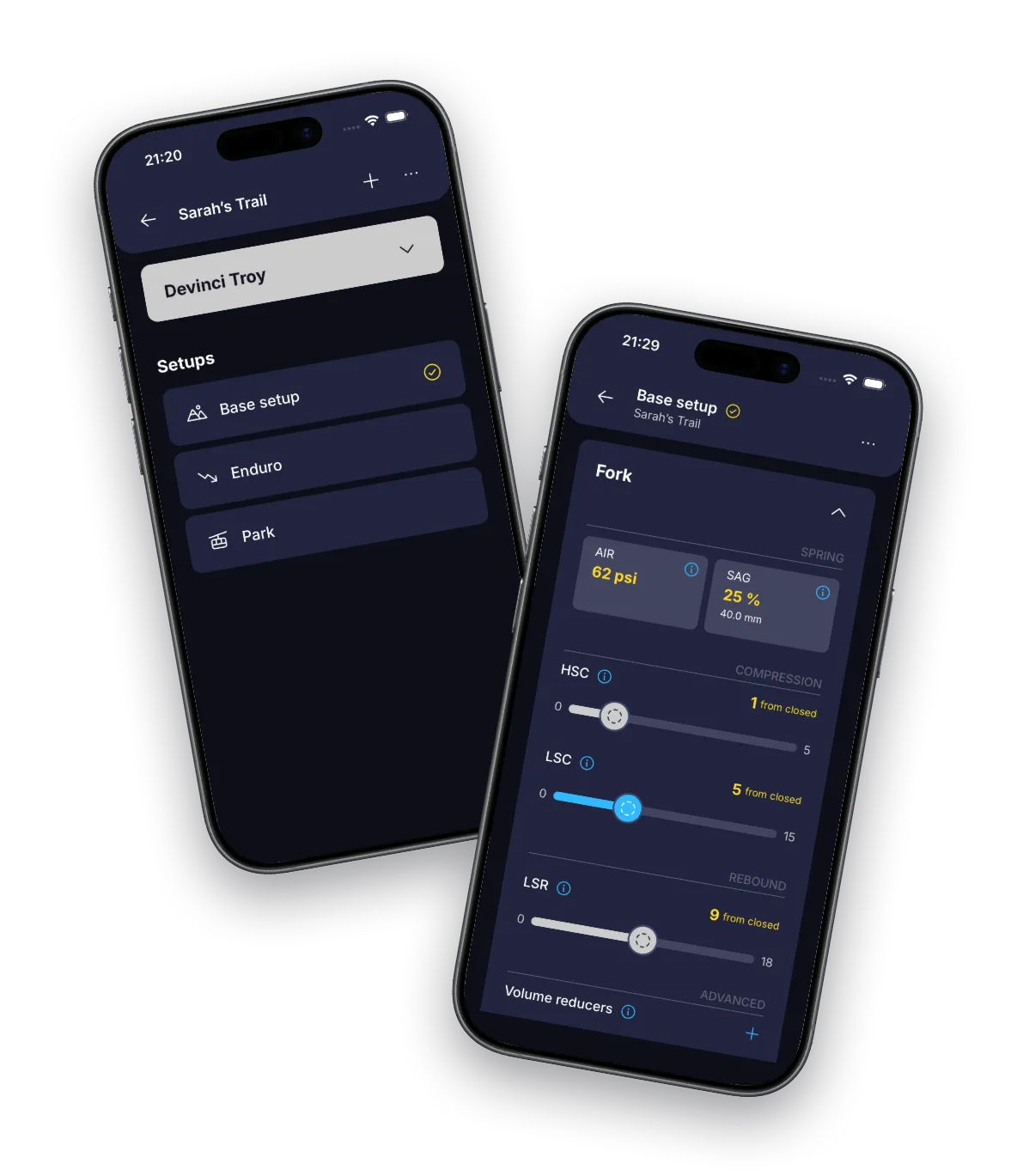
BouncyBits app showing a setup list and fork suspension settings on two iPhones

FEATURES

With BouncyBits every bike is always dialed in

Built for real bikes

Hardtail or full suspension. Air or coil. Your actual click counts. Not generic sliders.

As many setups as you need

Park, trail, race day, wet weather — save them all. Switch between them in seconds.

Track only what you care about

Add custom fields to any bike component. Show or hide whatever you want on your setup cards.

Setup hints, in your language

Built-in hints to remind you what setting does what. Local language. Global trails.

Notes wherever you need them

Add notes to any bike, setup, or component. Store insights right where the settings live.

Your units, your way

PSI or bar for tyre pressure. Clicks from open or closed. Your settings, stored how you like.

SCREENSHOTS

Flexible by design

Available in light and dark modes. Supports English, German, Spanish, French, and Italian.

PRIVACY

We don't want your data

The app stores everything locally on your device. No account. No cloud. No personal data collected or shared with anyone.

Read the full privacy policy

Track your BouncyBits

Your bike deserves better than a sticky note

Completely free. No in-app purchases. No subscription.

FAQ

Still got questions?

Is BouncyBits really free?

Yes, BouncyBits is completely free with no in-app purchases, no subscription, and no account required. It's been made for the mountain bike community, not for profit.

Does BouncyBits collect my data?

The app does not collect any data. Your bike data stays on your device - there is no account, no analytics, and no tracking built into the app. The Apple App Store and Google Play do collect some aggregated install and diagnostic data automatically. See our privacy policy for the full details.

What can I track with BouncyBits?

You can track fork and shock suspension settings including air pressure, sag, HSC, LSC, HSR, LSR, spring rate, volume reducers etc. You can also track tyre settings like separate front and rear pressures, inserts, etc. For both suspension and tyres, you can add and track any extra custom fields as you need.

What types of bikes does BouncyBits support?

BouncyBits supports hardtail and full-suspension mountain bikes with air or coil springs. You can configure each bike to your actual fork and shock capabilities and click counts, or just use the defaults to start tracking immediately.

Can I save multiple setups per bike?

Yes. You can create as many setups as you need per bike, for example park, trail, race day, or wet weather conditions. Switch between them easily so you always know the right settings for every situation.

What languages does BouncyBits support?

BouncyBits is available in English, German, Spanish, French, and Italian. The app automatically detects your device language, but you can change it to whatever you want.

Does BouncyBits work offline?

Yes. All data is stored locally on your device, so BouncyBits works fully offline - perfect for checking settings at the trailhead or bike park with no signal.

Can I add custom fields to my bike setup?

Yes. You can add custom fields to any bike component (fork, shock, tyres) to track whatever matters to you. For example, additional clickers, additional air chambers, or anything else that isn't built in. You can also show or hide the standard fields on your setup cards so you only see what's relevant to your bike.

Can I track tyre setup with BouncyBits?

Yes. BouncyBits lets you track front and rear tyre pressures alongside your suspension settings. Pressures can be displayed in PSI or bar depending on your preference.

Does BouncyBits support dark mode?

Yes. BouncyBits supports both dark and light mode. It automatically matches your device setting by default, but you can override it in the app settings.

Can I change units and display preferences?

Yes. You can choose to count damper clicks from open or closed, and display tyre pressure in PSI or bar. Your settings are stored how you prefer to read them.